
Architecture in practice
Context and container views
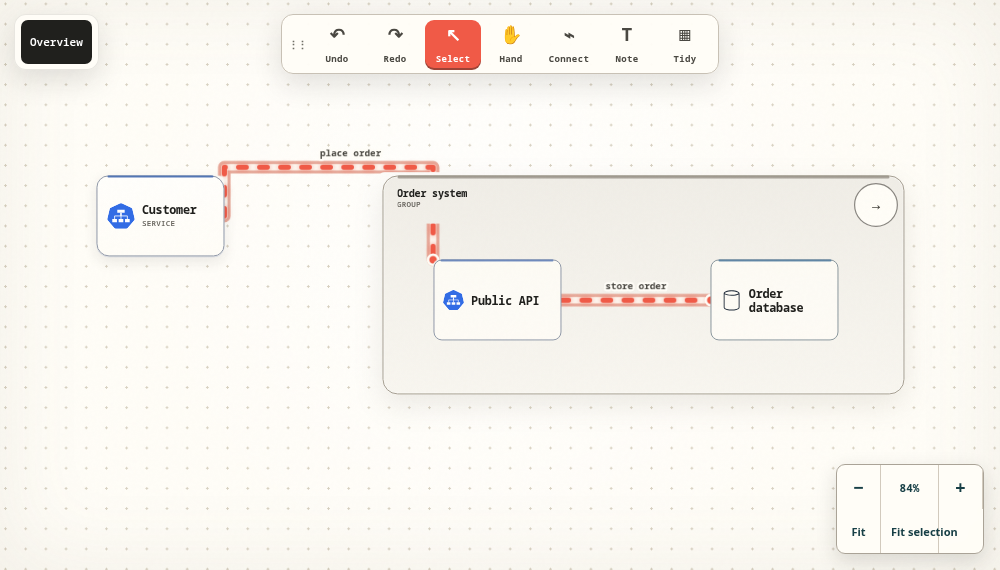
Open a system boundary to reveal its API and database.
Start from template Download JSON
This opens a separate browser draft; your main draft remains unchanged.
Readable source
The labels explain the system to a reader. Stable identifiers connect the nodes to the flows. Keep a copy of this source, then adjust it to match your own architecture.
# Context and container views
- Customer {#customer type=client kind=person detail="Places orders" x=70 y=100}
- Order system {#system type=container kind=software-system detail="Accepts and fulfils orders" x=410 y=100 width=620 height=260}
  - Public API {#api type=service kind=container detail="Accepts order requests" x=470 y=200}
  - Order database {#db type=database kind=data-store detail="Stores order records" x=800 y=200}
## Flows
- customer -> api {#request label="Places an order" protocol="HTTPS"}
- api -> db {#persist label="Stores order" protocol="SQL"}
Make one useful change.
Rename a component, explain a connection or add a note about a missing assumption. Export the result as Markdown, JSON or YAML to keep an editable copy.
Learn the import and export workflow