
Architecture in practice
Keep the picture and source together
Export Markdown, JSON or YAML, make a focused edit, then import and validate the same structure.
For Developers and agent users
Work through a real model.
Open the example, follow its connections and make a change. Edits save in a separate browser draft. Your main draft remains unchanged.
Start from this example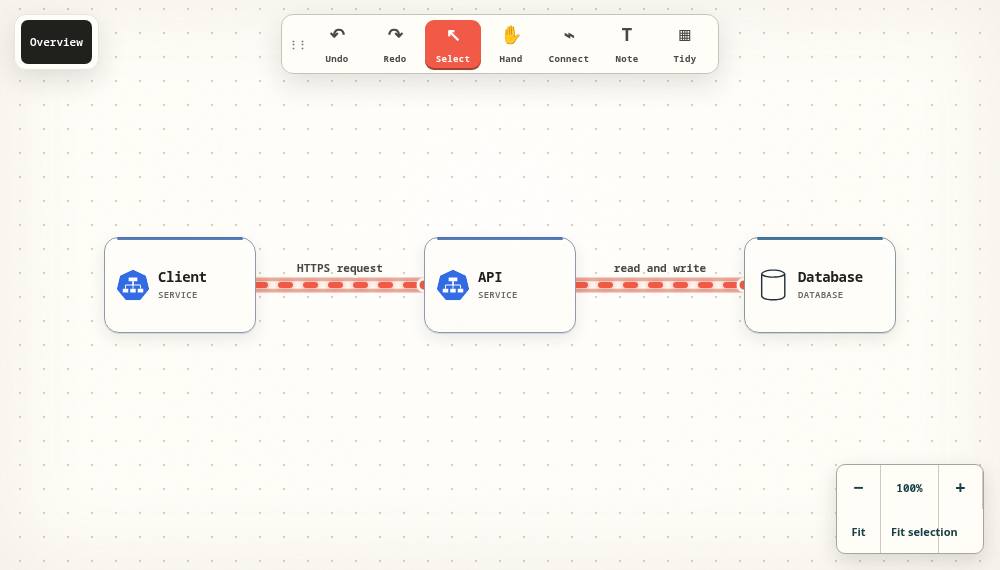
Keep the structure behind the picture
Nodes, connections, notes and views remain model data. Markdown is convenient for reading and focused edits; JSON and YAML expose the structured document directly. Export an editable format when you need to preserve the architecture, rather than only its appearance.
Use stable identities for focused changes
A node's identifier connects it to relationships and views. Rename a service by changing its label while keeping its ID. If an agent is making a small update, ask it to patch the relevant elements and validate the result instead of replacing the whole diagram.
Work in either direction
Give a compatible agent source and ask for an editable diagram, or draw a model and ask the agent to explain its exact structure. REST and MCP expose the same model. Bring your own agent, select an authorized diagram and keep credentials out of the model source.
Verify the round trip
Export the example, change a label and import the edited file as an unpublished copy. Confirm the nodes and flow endpoints are still present. Keep the original export until you have checked the result; an imported file does not silently update the original server diagram.
Take the next step.
Use the task guide for the exact controls and permissions. Keep a portable export when you have made a change you want to preserve.
Read the task guideExplore another model