
Architecture in practice
Trace a runtime request
Label each connection with its event, select a flow and follow its direction through the model.
For Engineers explaining asynchronous systems
Work through a real model.
Open the example, follow its connections and make a change. Edits save in a separate browser draft. Your main draft remains unchanged.
Start from this example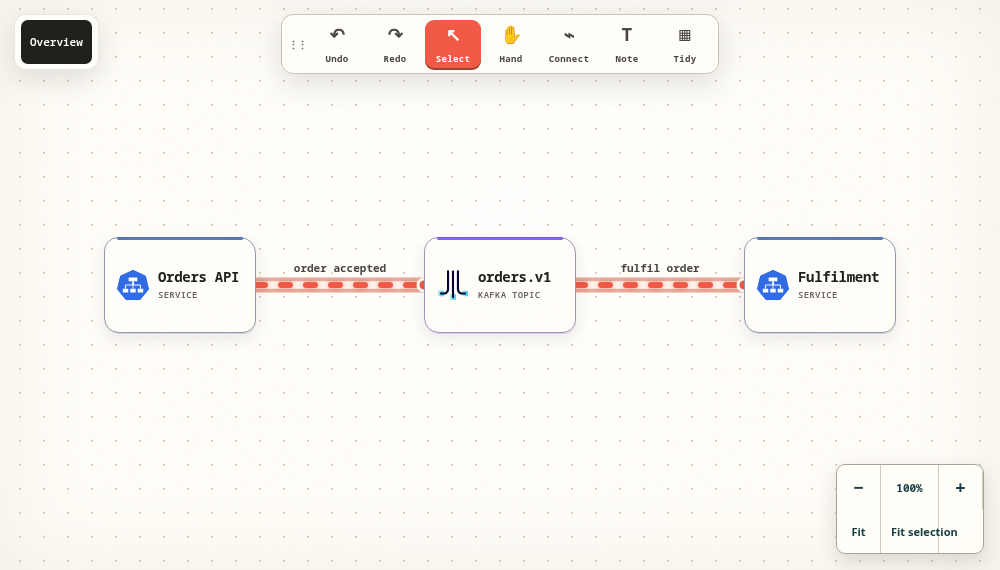
Name the event, not just the destination
A connection can explain an HTTPS request, an accepted order, a message consumption or a database write. Use a label that tells the reader what crosses the boundary. Direction should follow the event you are describing.
Make asynchronous work visible
The commerce example separates the producer, topic and fulfilment worker. Follow the two connections and ask when the API considers the order accepted. Add notes for retries, duplicate delivery and failure handling when those are relevant to your design.
Use motion as an explanation
Select a flow to inspect its direction, label, colour and animation speed. The moving signal helps an audience follow a path, but it is an illustration of the model, not observed throughput or a live monitoring feed. Labels and direction remain meaningful with reduced motion.
Leave a useful review artifact
Export Markdown, JSON or YAML so another author can inspect the flow endpoints and improve the model. Use a presentation export when you need a visual explanation, and keep the editable source beside it.
Take the next step.
Use the task guide for the exact controls and permissions. Keep a portable export when you have made a change you want to preserve.
Read the task guideExplore another model