
Architecture in practice
Share a model for architecture review
Publish a private diagram, share with a known email address, and ask the reviewer to inspect the request path.
For Engineering leads and reviewers
Work through a real model.
Open the example, follow its connections and make a change. Edits save in a separate browser draft. Your main draft remains unchanged.
Start from this example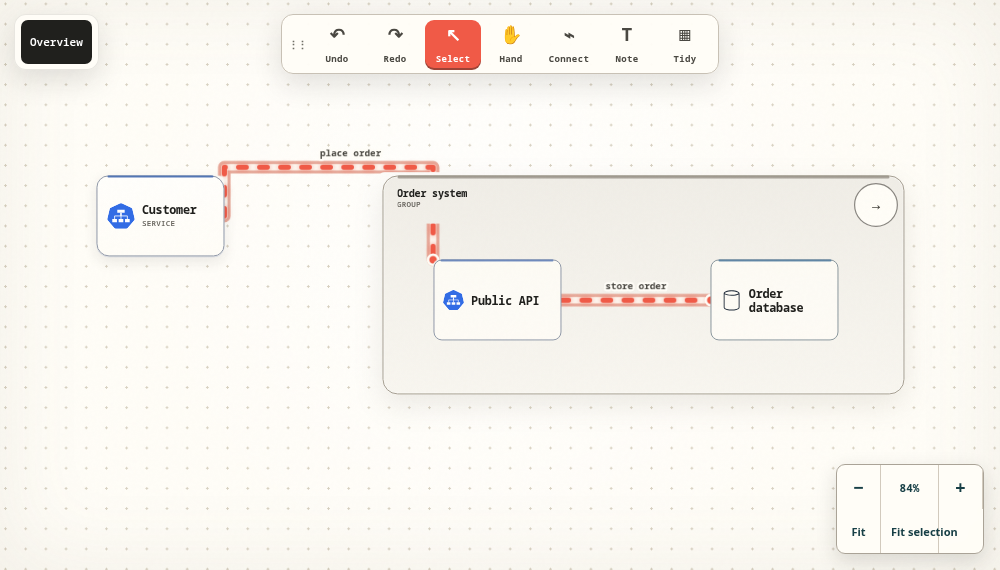
Give the review a specific question
Choose one request or event path and say what decision needs feedback. The context-and-container example lets a reviewer identify the public entry point and the service that persists an order without navigating a large unrelated architecture.
Publish privately before sharing
Local work lives in this browser. Sign in and publish to create a server copy, then check its visibility. Use email viewing access for a known reviewer; the recipient signs in with the matching email. A public link is readable by anyone who can access it.
Separate viewing from editing
Personal email sharing gives viewing access, not editing rights. Organization ownership and roles are a separate workspace arrangement. Ask an owner or administrator about the permissions needed for a team workflow, and confirm available workspace features before purchase.
Close the loop
Ask the reviewer to explain the request path and record any unclear boundary or missing assumption. Apply the agreed changes, keep an export and revisit who still needs access. Remove email access or public visibility when that audience should no longer see the model.
Take the next step.
Use the task guide for the exact controls and permissions. Keep a portable export when you have made a change you want to preserve.
Read the task guideExplore another model